
Keyword research
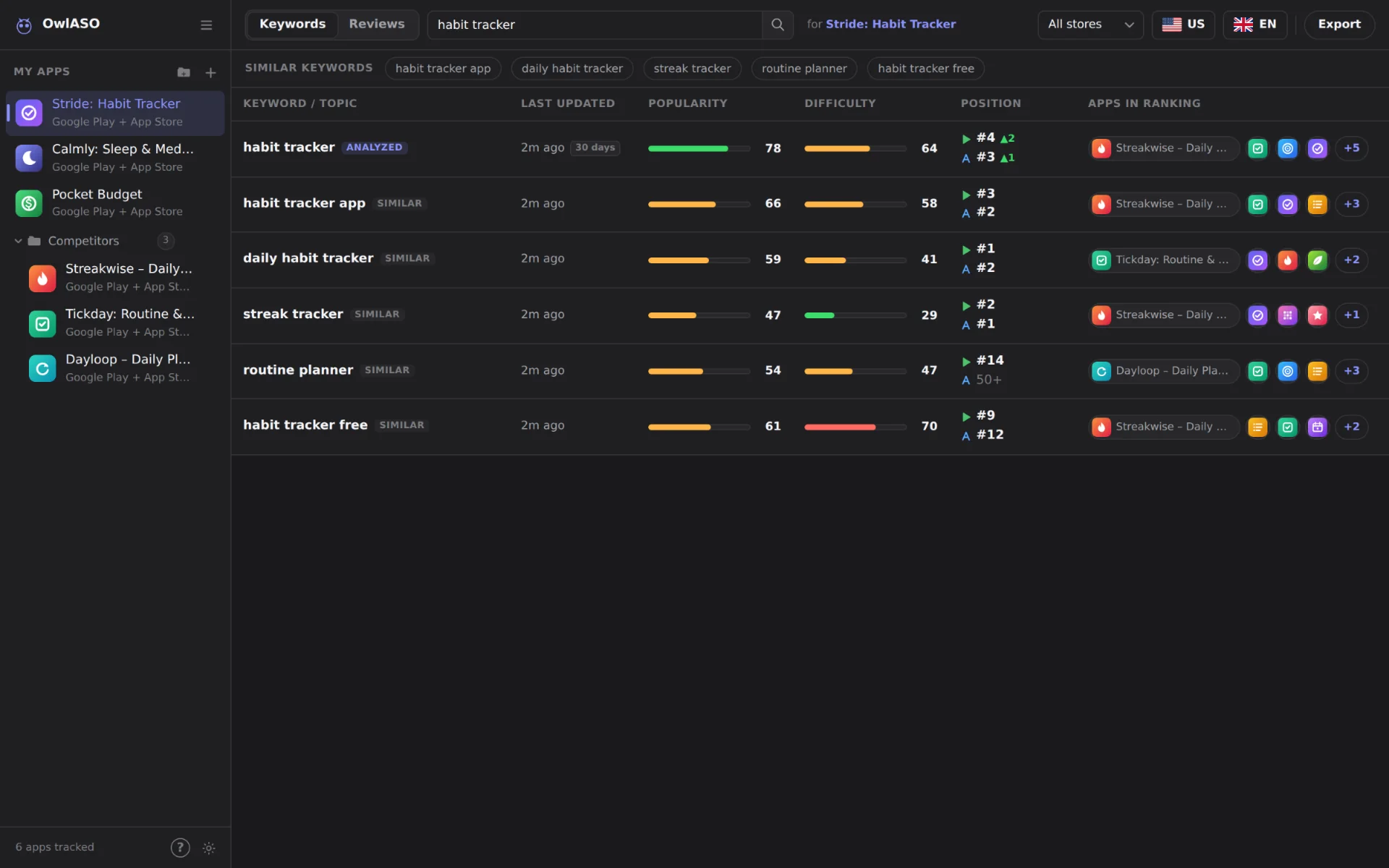
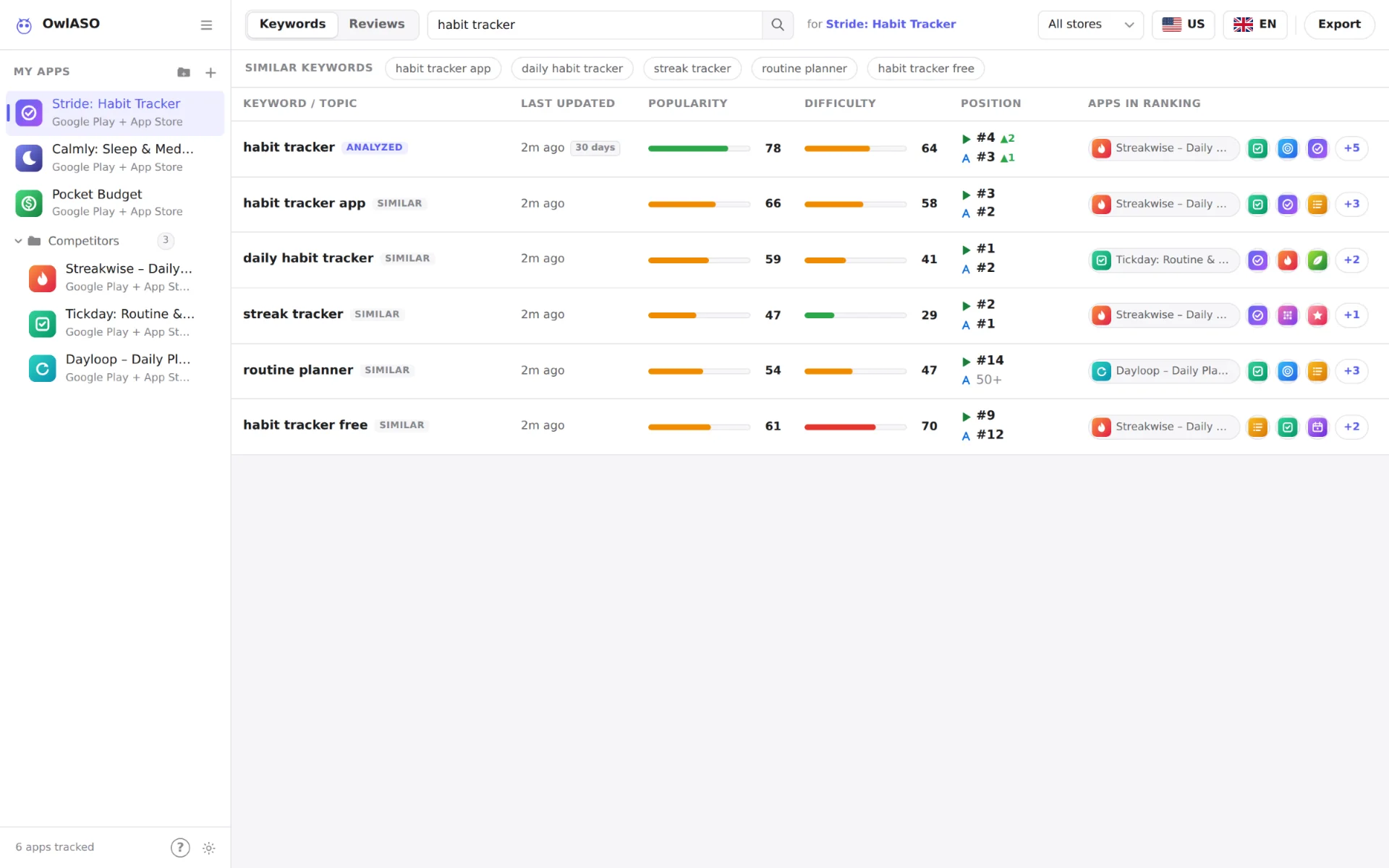
Analyze any keyword on one or both stores and see who ranks for it.
- Popularity, difficulty & opportunity (0–100)
- 5 similar keywords scored side by side
- Keywords your competitors also rank for
Score keywords, track where your app ranks every day, and read every review from Google Play and the App Store — in one free desktop app that runs on your machine.
Research keywords, watch your rankings move and hear what users say — without switching tools or paying per seat.
Analyze any keyword on one or both stores and see who ranks for it.
Know exactly where your app sits for every keyword, on each store.
Run one keyword in all 20 storefronts and find your best markets.
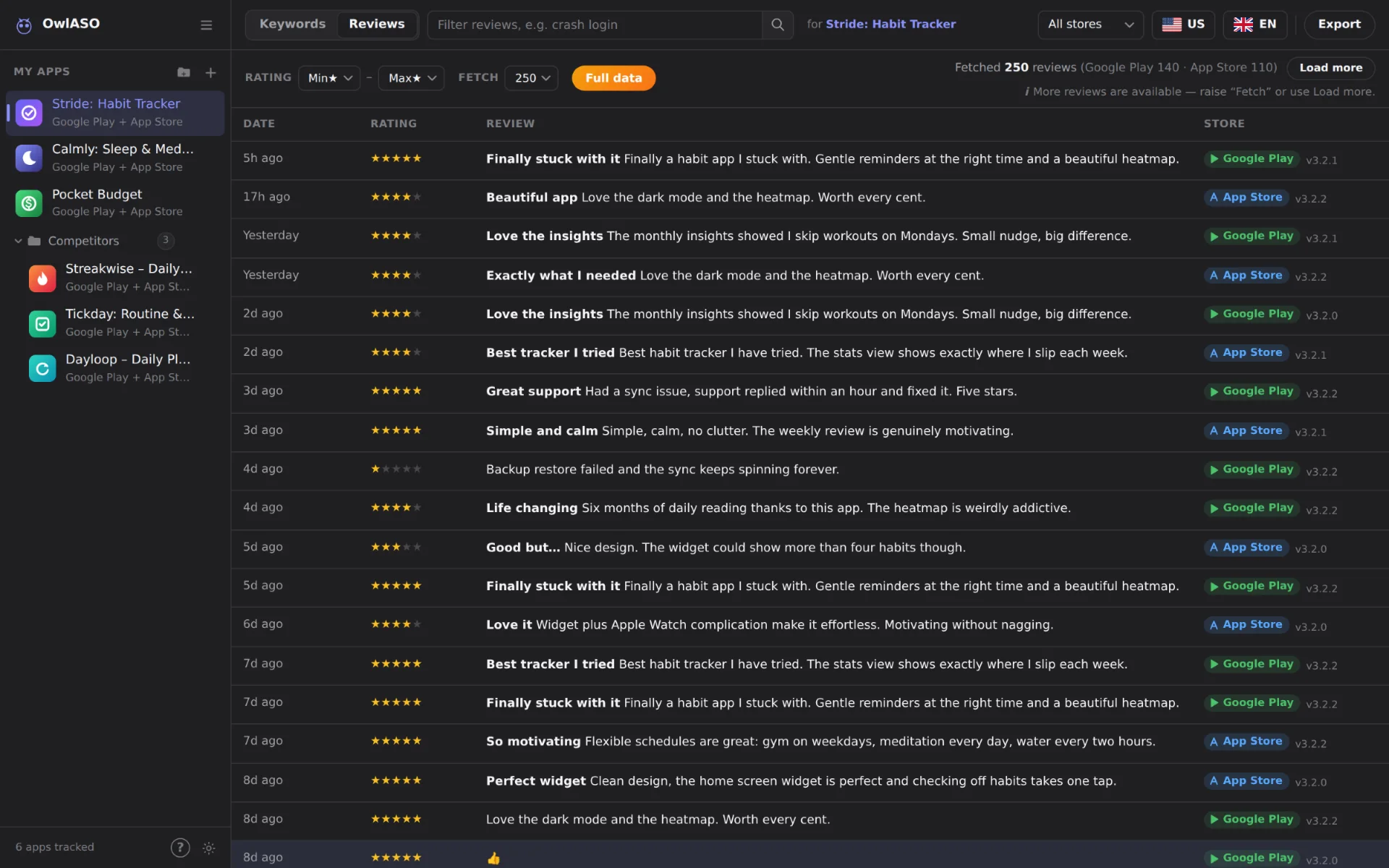
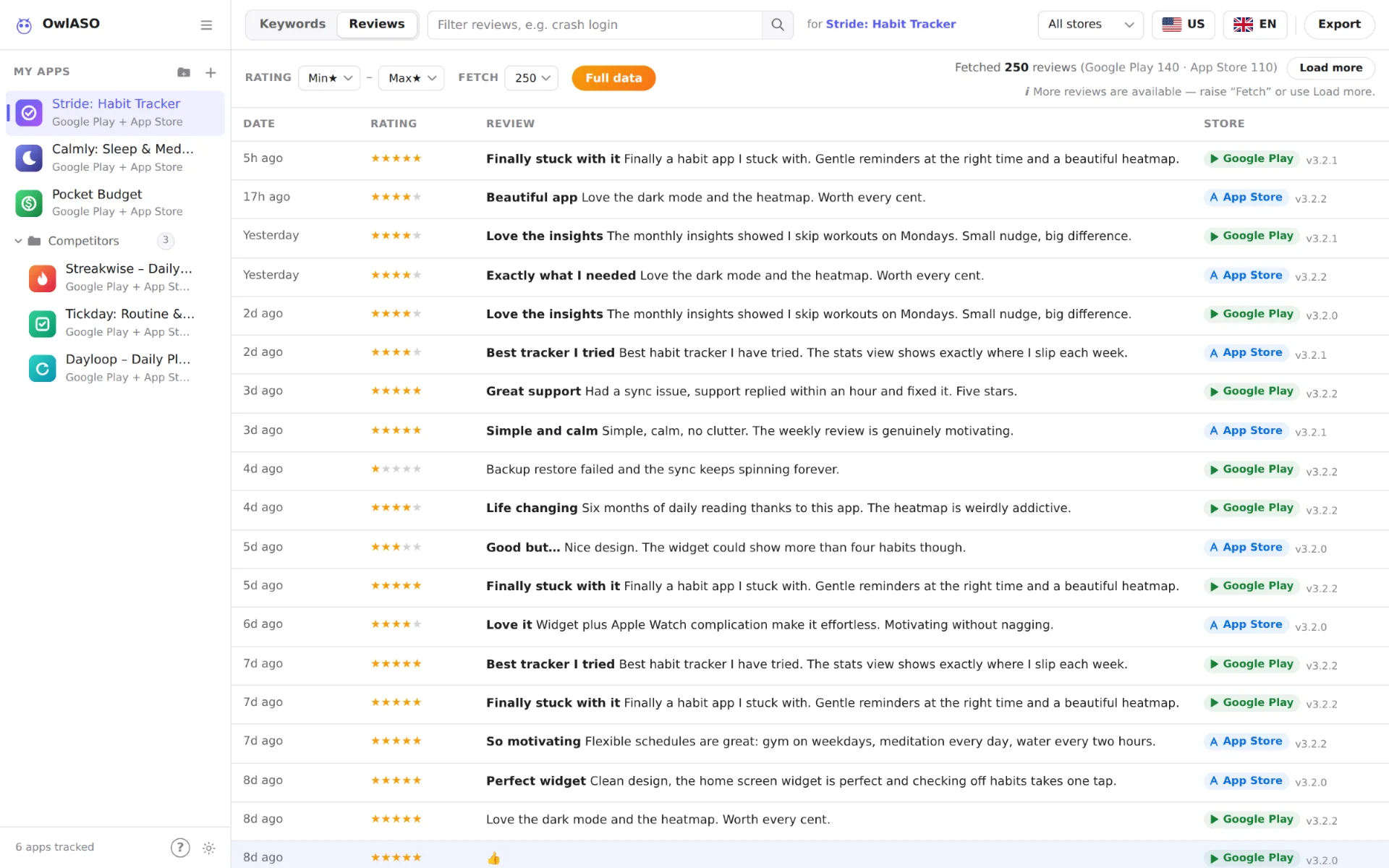
Google Play and App Store reviews in one table, with a store column.
Every reachable review across stores and languages, in one place.
Press Ctrl/⌘+E to export exactly what you are looking at.
Real screens from OwlASO, filled with demo data.
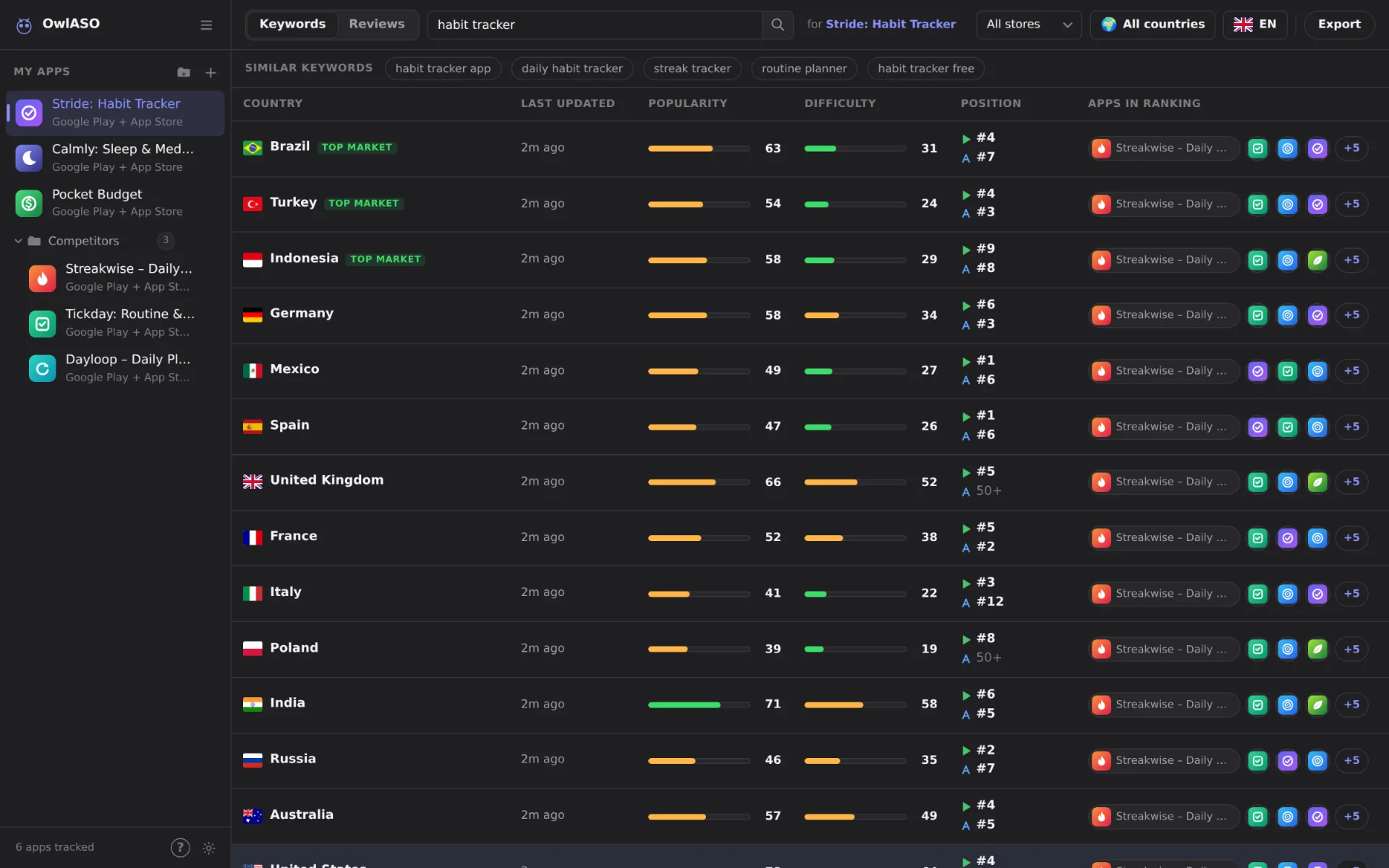
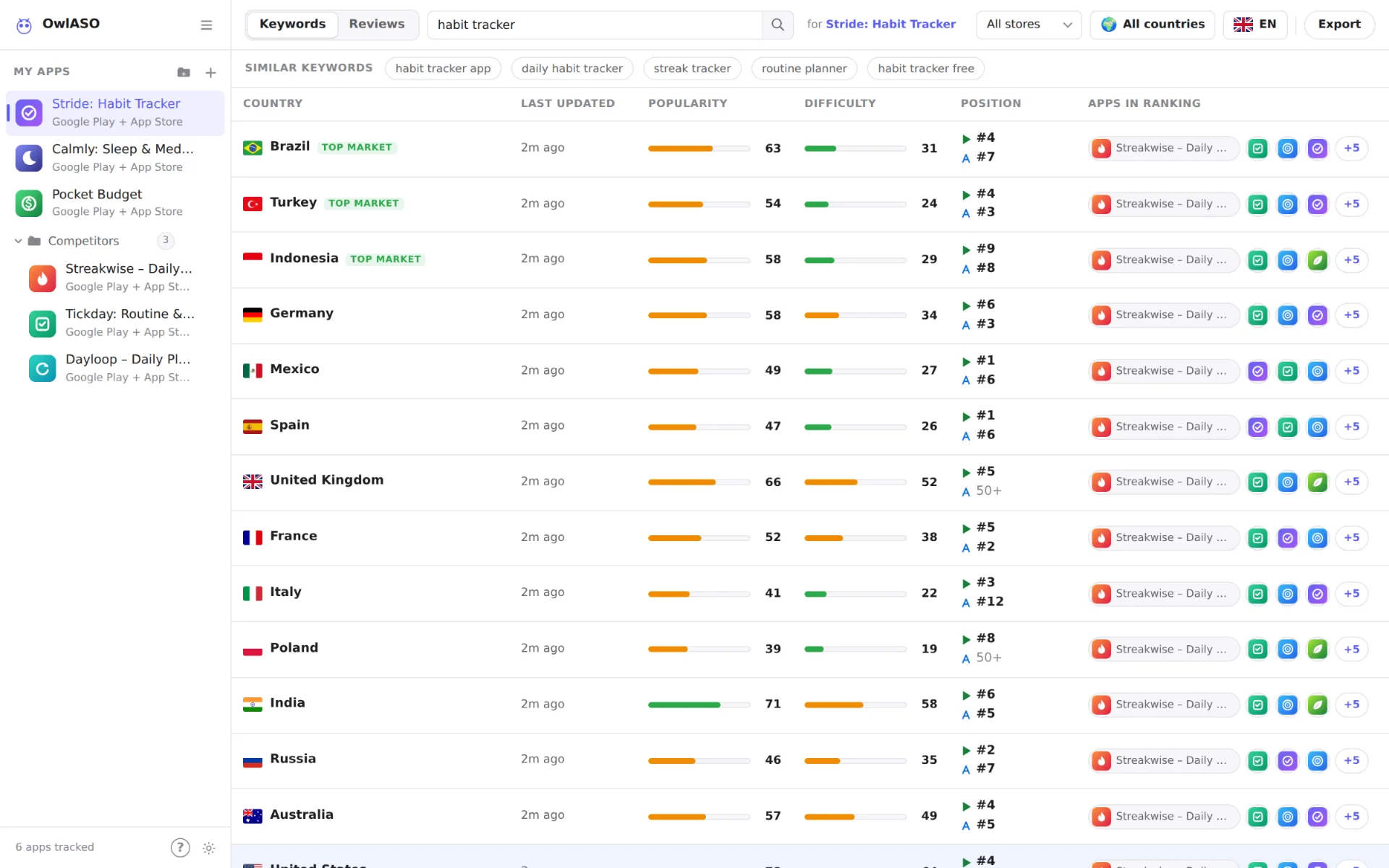
Score a keyword and 5 similar ones at once. Position shows where your app ranks on each store, with the daily change.
Open any keyword for all its numbers, trend charts, your app’s best rank over time and the keywords the top apps also rank for.
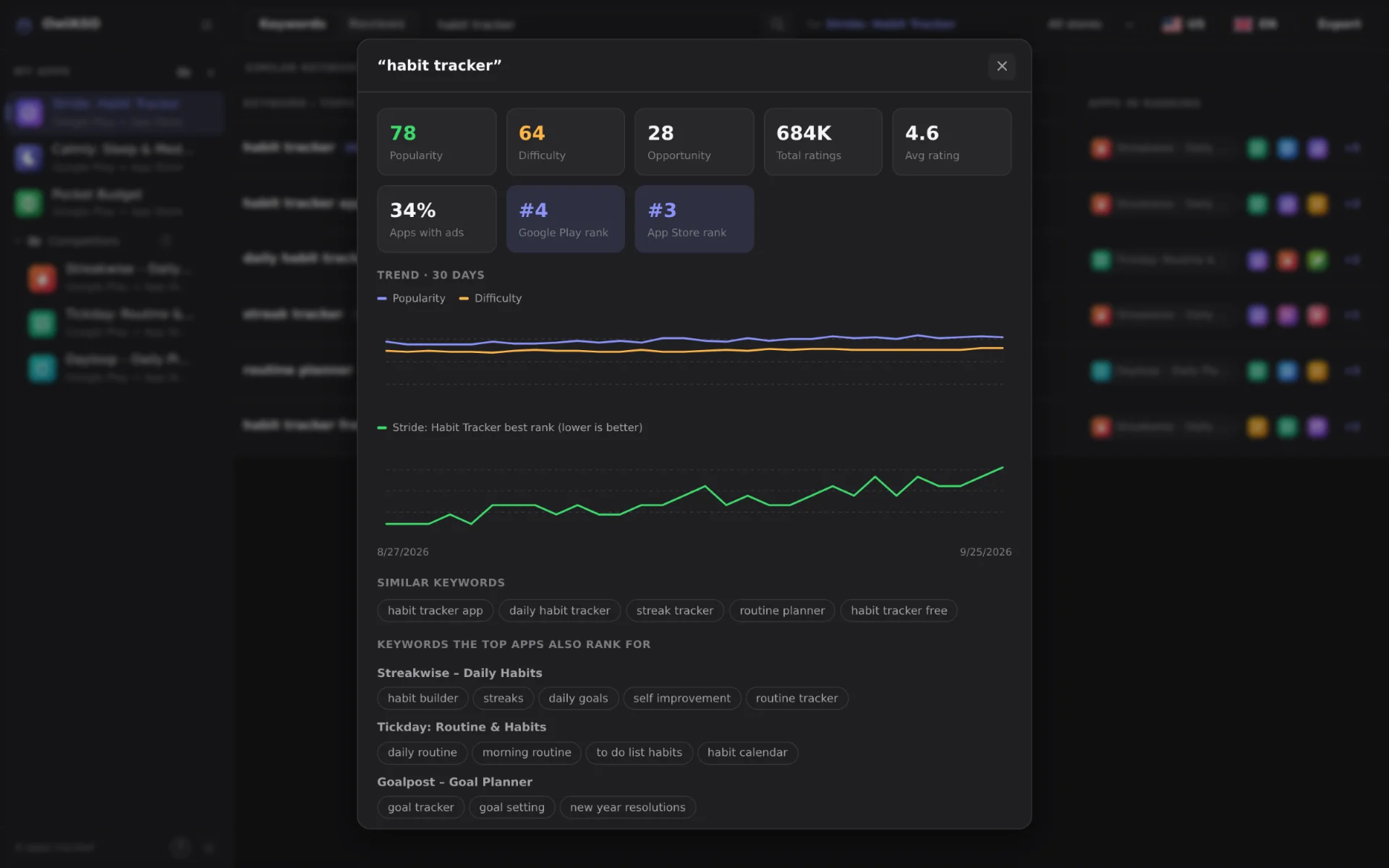
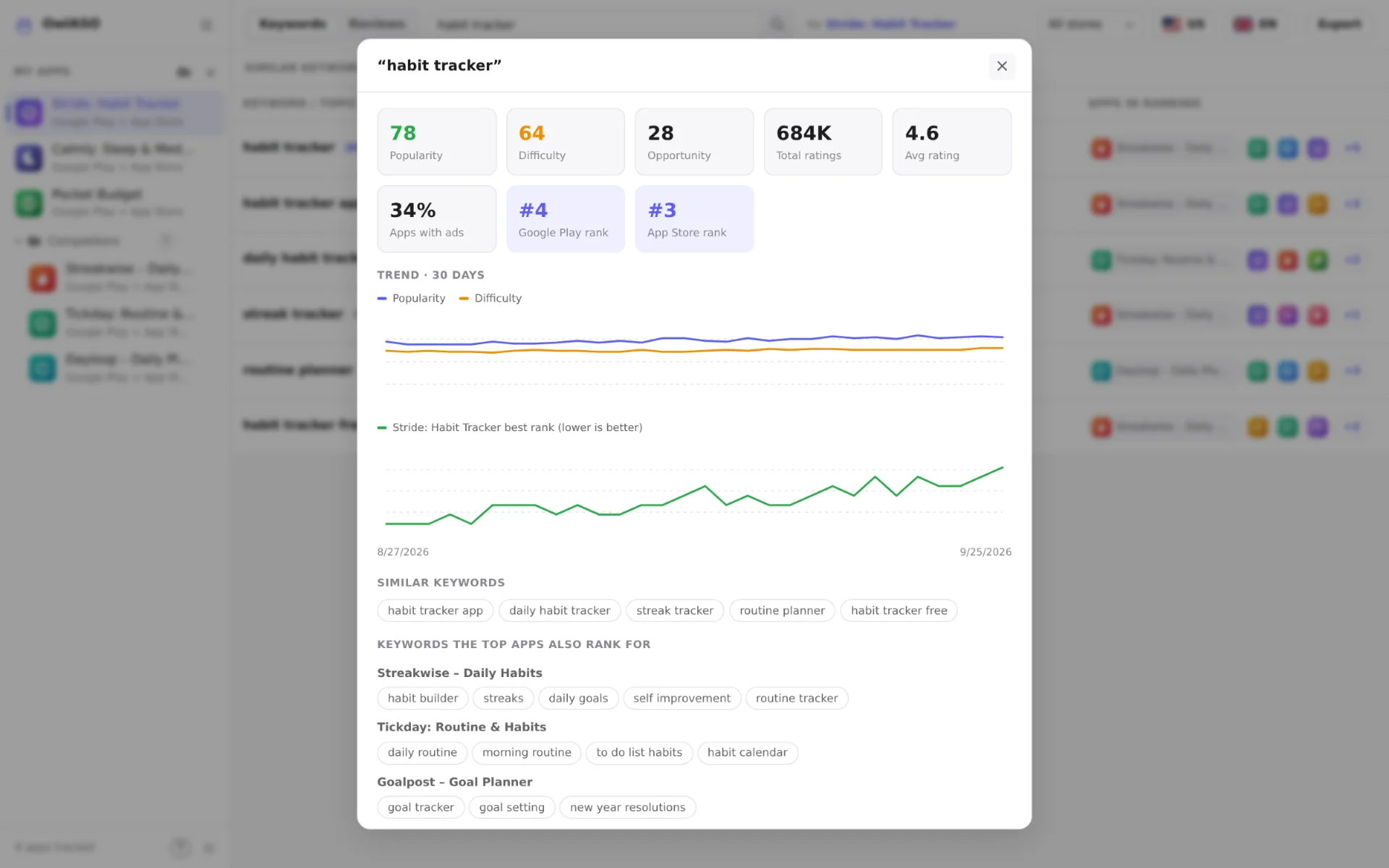
Run one keyword in all 20 storefronts. Rows are sorted by opportunity, so your best markets come first.
Both stores in one table. Type a word to filter instantly — matches are highlighted and the store is on every row.
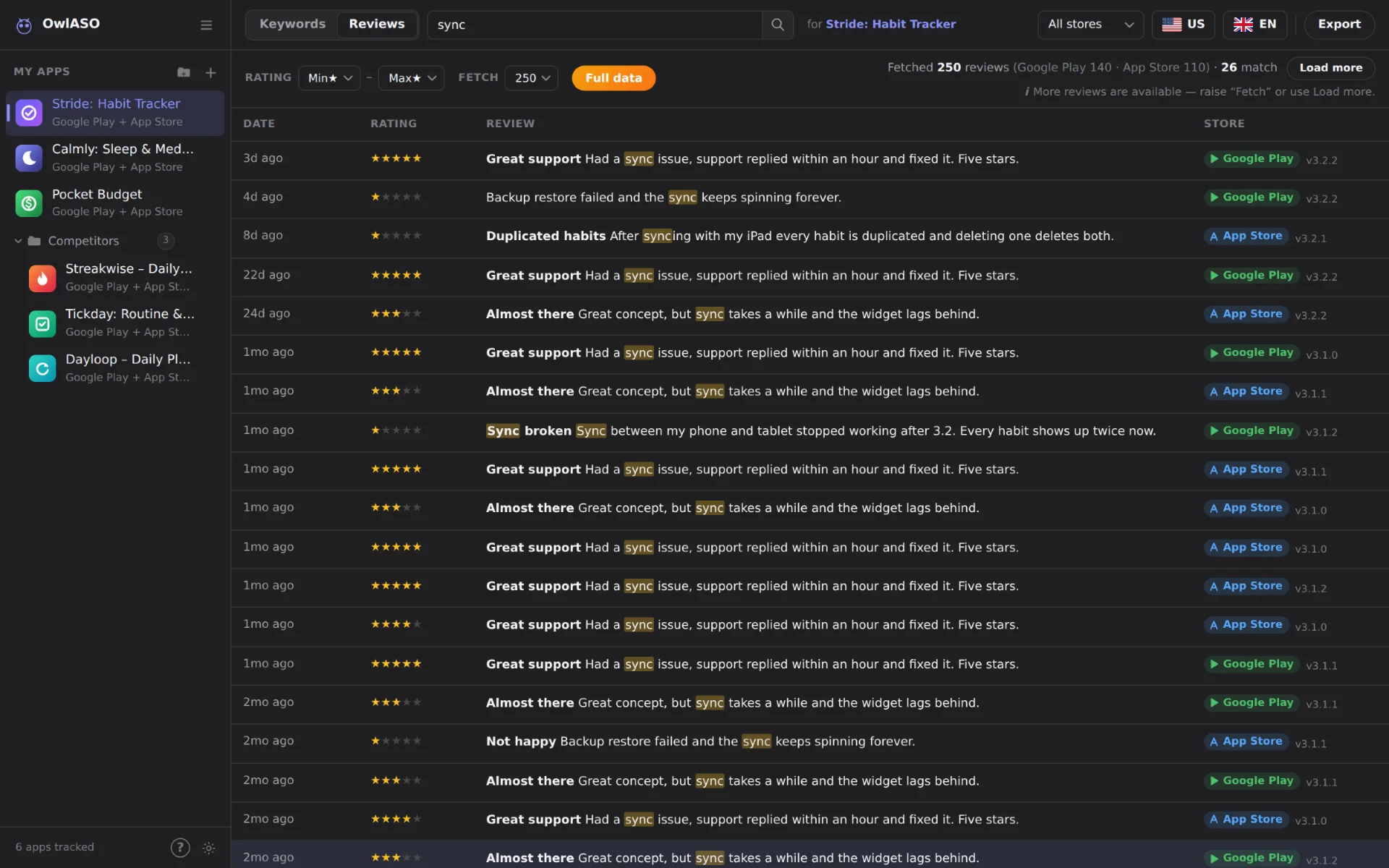
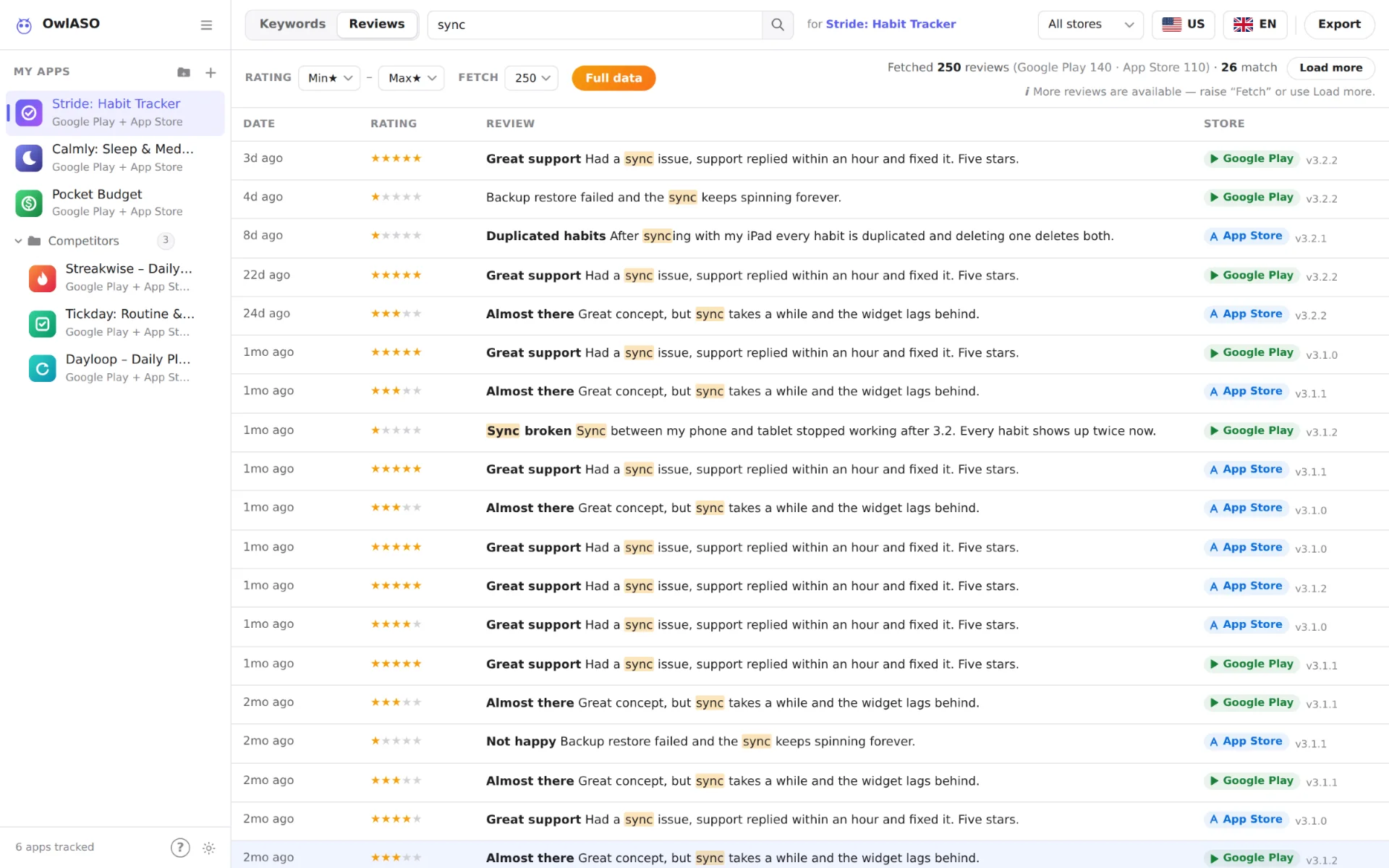
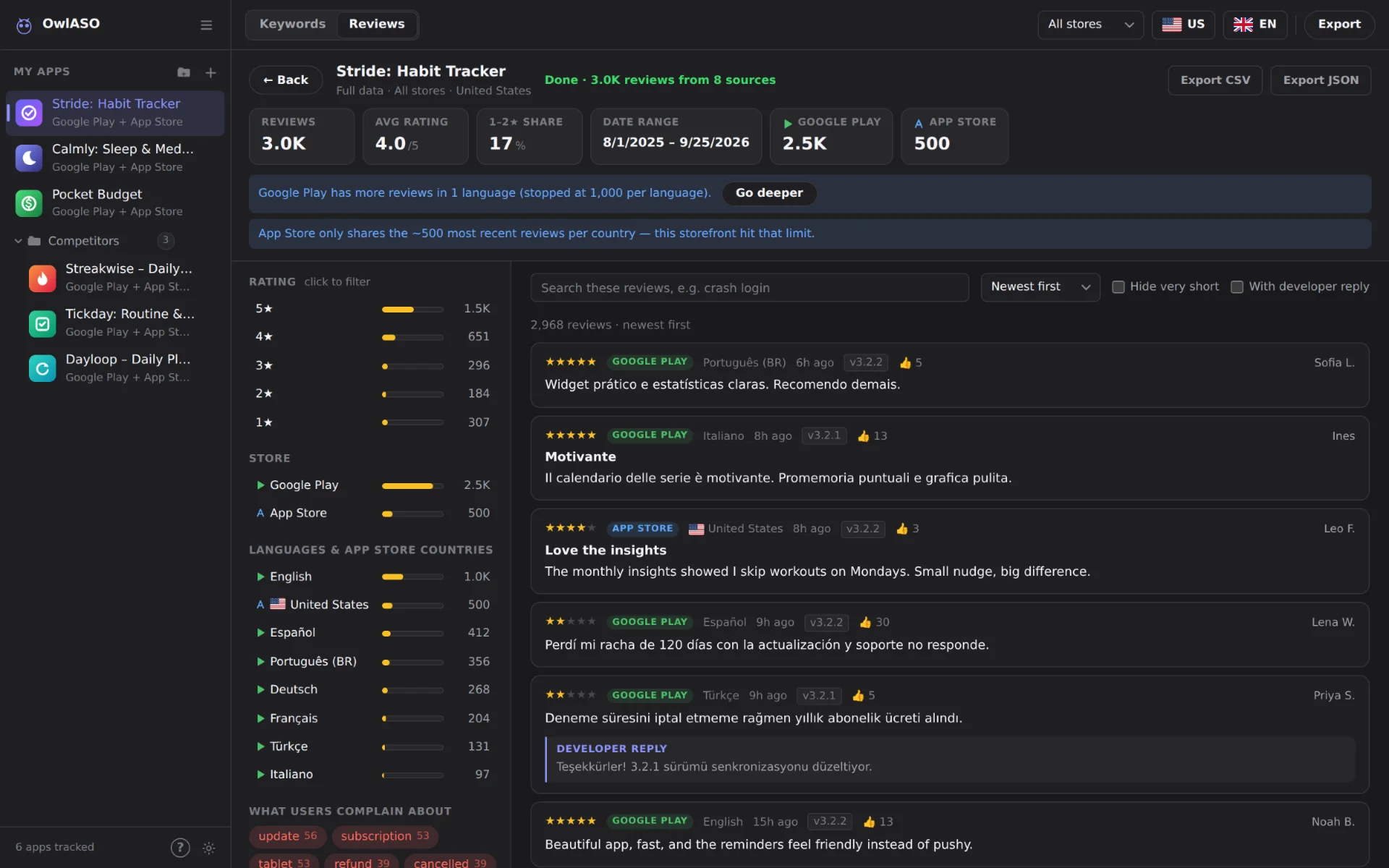
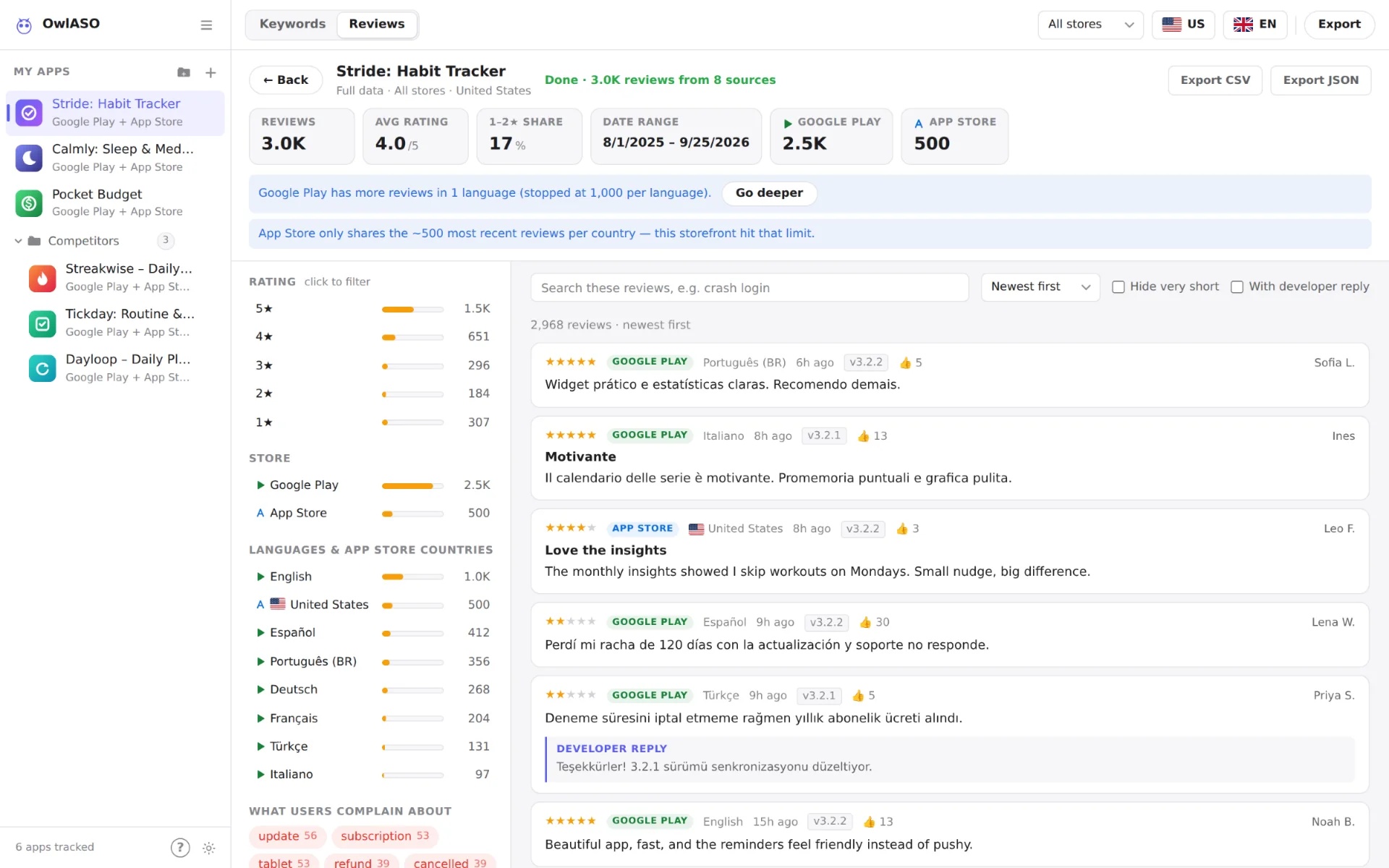
Every reachable review in one explorer: rating, store and language facets, search, sorting, and what users complain about.
New here? A one-minute guided tour walks you through every part of the app. Press ? any time to replay it.
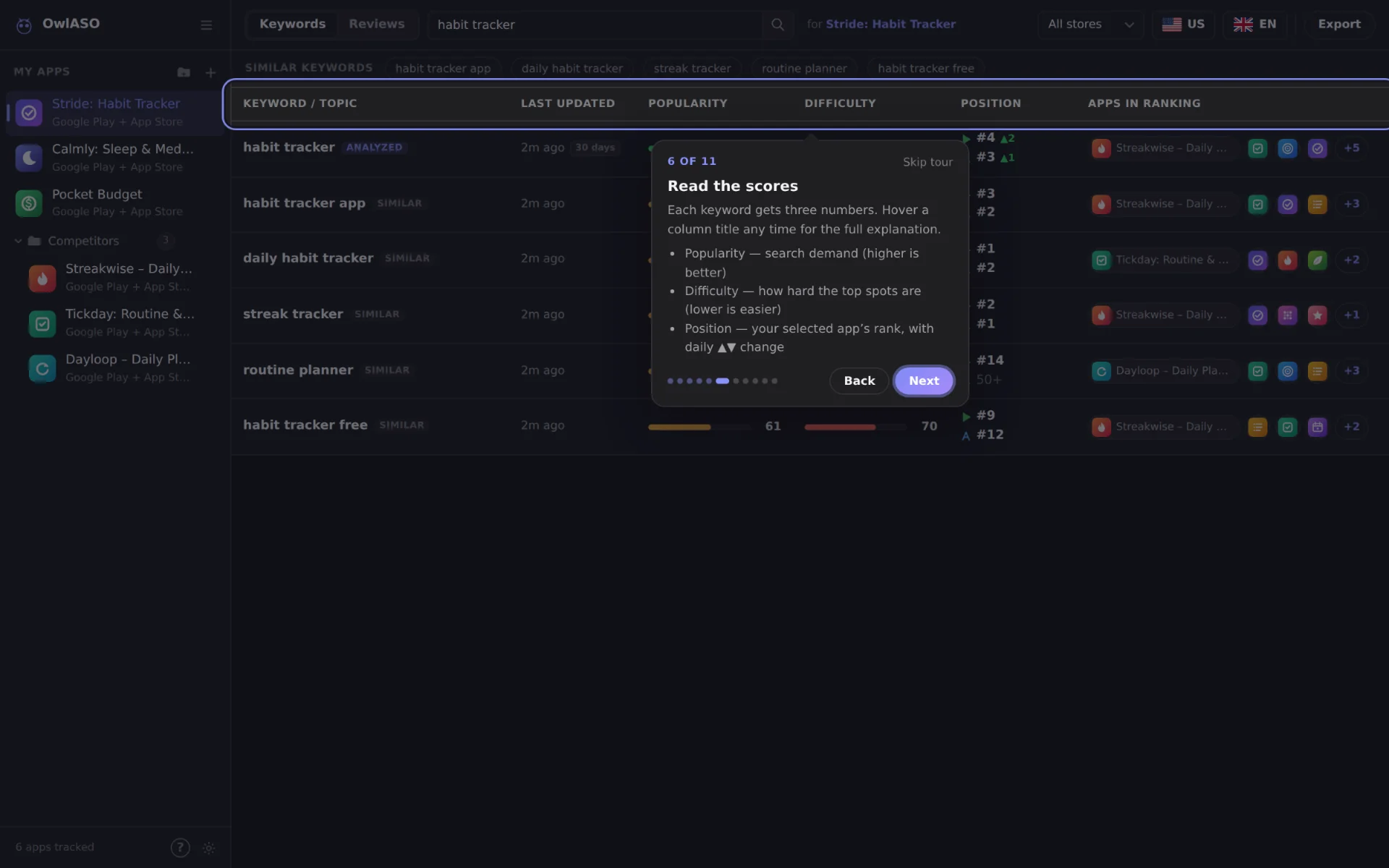
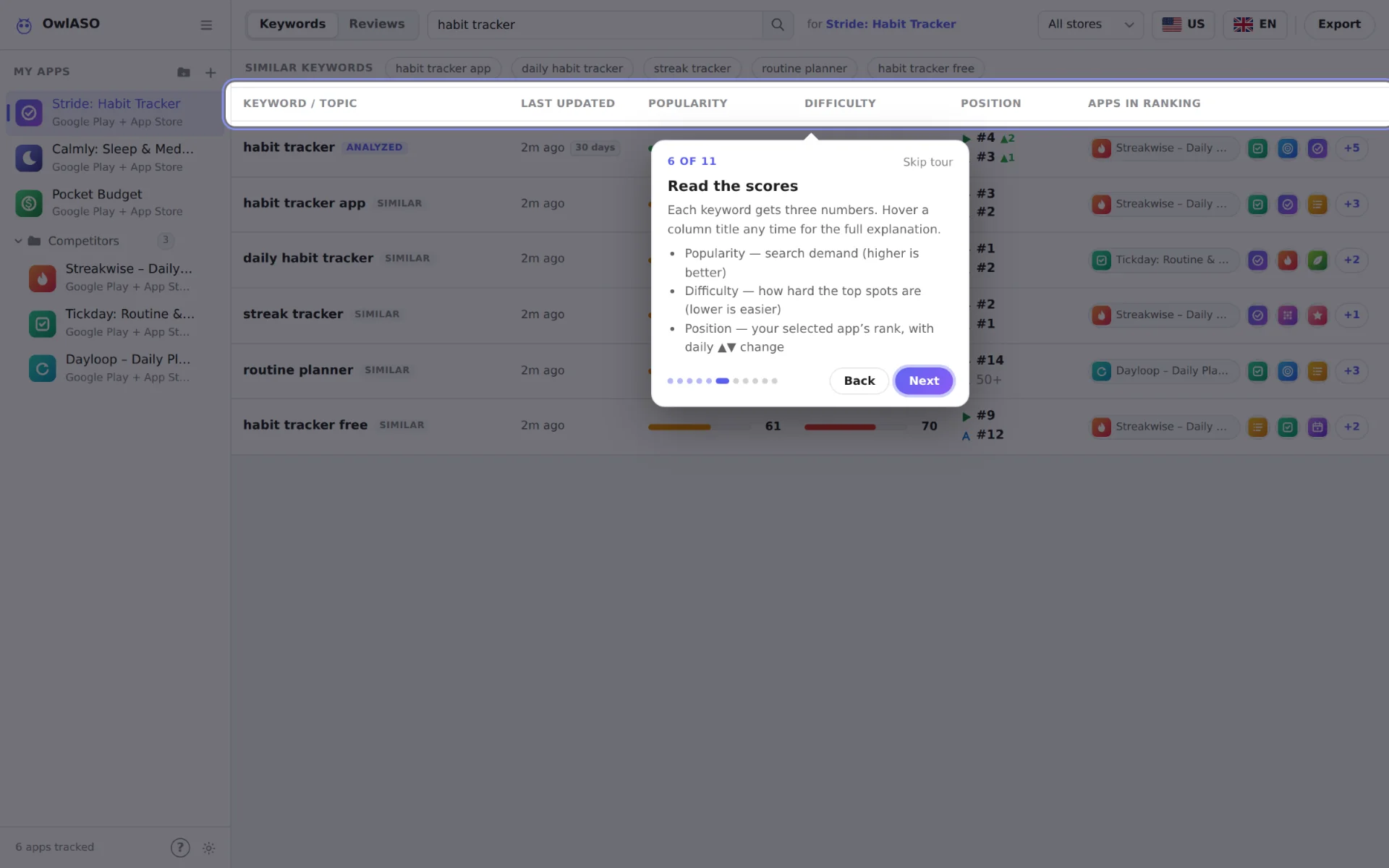
Every score is computed from public store data with a formula you can read — and check in the source.
How much demand a keyword shows, judged by the apps that rank for it.
How hard it is to break into the results for this keyword.
High demand you can realistically compete for. Sort by this first.
These are free, public-data estimates — not Apple Search Ads’ first-party popularity. Use them to compare keywords with each other. Full methodology →
From install to your first insight in about a minute.
Click + (or press A) and search by name, package (com.spotify.music) or App Store id. Apps on both stores merge into one entry.
Type a keyword and press Enter. You get scores for it and 5 similar keywords, plus your app’s position on each store.
Switch to Reviews, filter by words and stars, compare apps, then press Ctrl/⌘+E to export.
A Windows installer is ready to go. On macOS and Linux, run it from source in four commands.
OwlASO.Setup.<version>.exe.Rather not install? The release also ships a portable .zip you can unpack and run.
All countries, the full-data explorer and the guided tour arrived after this beta. To use them now, run OwlASO from source.
SmartScreen warning? If Windows shows “Windows protected your PC”, choose More info → Run anyway — or build it yourself from source.
$ git clone https://github.com/owlaso/owlaso.git
$ cd owlaso
$ npm install
$ npm run electron   # desktop app
Prefer the browser? Run npm start and open http://localhost:3000. Want an installer? npm run dist:mac builds a DMG, npm run dist:linux an AppImage.
Full install guide → Covers requirements, web mode and building installers.
No cloud, no sign-up, no OwlASO server in the middle. The app talks straight to the public store endpoints.
Tracked apps, folders and keyword history are stored on your device. There’s no analytics and no OwlASO server.
Web mode binds to 127.0.0.1 and rejects foreign Host headers and cross-site requests (DNS-rebinding & CSRF protection).
Sandboxed renderer with context isolation, a strict CSP, http(s)-only external links, and every permission request denied.
Review text that starts with =, +, - or @ is neutralised, so a review can’t run as a spreadsheet formula.
Short answers here — the docs go deeper.
Yes. It’s open source under the MIT license — no paid tier, no seats, no sign-up.
App Store: Apple’s public iTunes Search API and customer-review feed. Google Play: there is no official public reviews API, so OwlASO uses the open-source google-play-scraper, with an HTML fallback.
Requests go straight from your computer to the stores. Results are cached for 5–15 minutes to keep traffic low.
They’re estimates built from public signals (rating volume, star ratings, ads, result breadth), not Apple Search Ads’ first-party data. They work best for comparing keywords against each other. See the formulas.
Apple’s public review feed stops at 10 pages of 50 reviews per storefront (country). Pick All countries to read every storefront at once. Google Play allows far more: up to 5,000 per fetch, and Full data reads 1,000 per language — Go deeper raises that to 5,000.
OwlASO runs on macOS and Linux from source today (Node.js 22.12+). The prebuilt installer is Windows-only for now; npm run dist:mac and npm run dist:linux build your own DMG or AppImage. Install guide.
History is recorded whenever you analyze a keyword — one snapshot per day per keyword, store, country and language. Re-analyze your keywords on different days and the trend arrows and charts fill in.
Normal use is fine. OwlASO caches results, merges duplicate requests and backs off when a store says “slow down” (it honours Retry-After). Hammering the stores with huge batches can still get you throttled for a while.
Free, open source and private by design.